When you create your ServiceSubscriber account, you automatically get a 14-day free trial to explore the platform and build your subscription business. No credit card required, no strings attached—just time to see if ServiceSubscriber is right for you.
What's Included in Your Trial
During your 14-day trial, you get full access to everything ServiceSubscriber offers:
✅ All Platform Features:
Create unlimited services
Connect your Stripe account
Accept real customer subscriptions
Accept one-off purchases at regular price
Process actual payments (money goes to your Stripe account)
Customize your subscription page
Manage customers and schedules
Send subscription invitations
Access all business tools and settings
Enable or disable purchase options per service
No limitations. Your trial includes every feature you'll have on a paid plan—both subscription and one-off purchase capabilities are fully available.

✍️ TIP: Your trial isn't just for testing—it's for building. Many business owners get their first paying customers during their trial period (whether subscribers or one-off purchasers) and start generating real revenue before they ever pay ServiceSubscriber a penny.
How Trial Tracking Works
ServiceSubscriber helps you keep track of your trial in several ways:
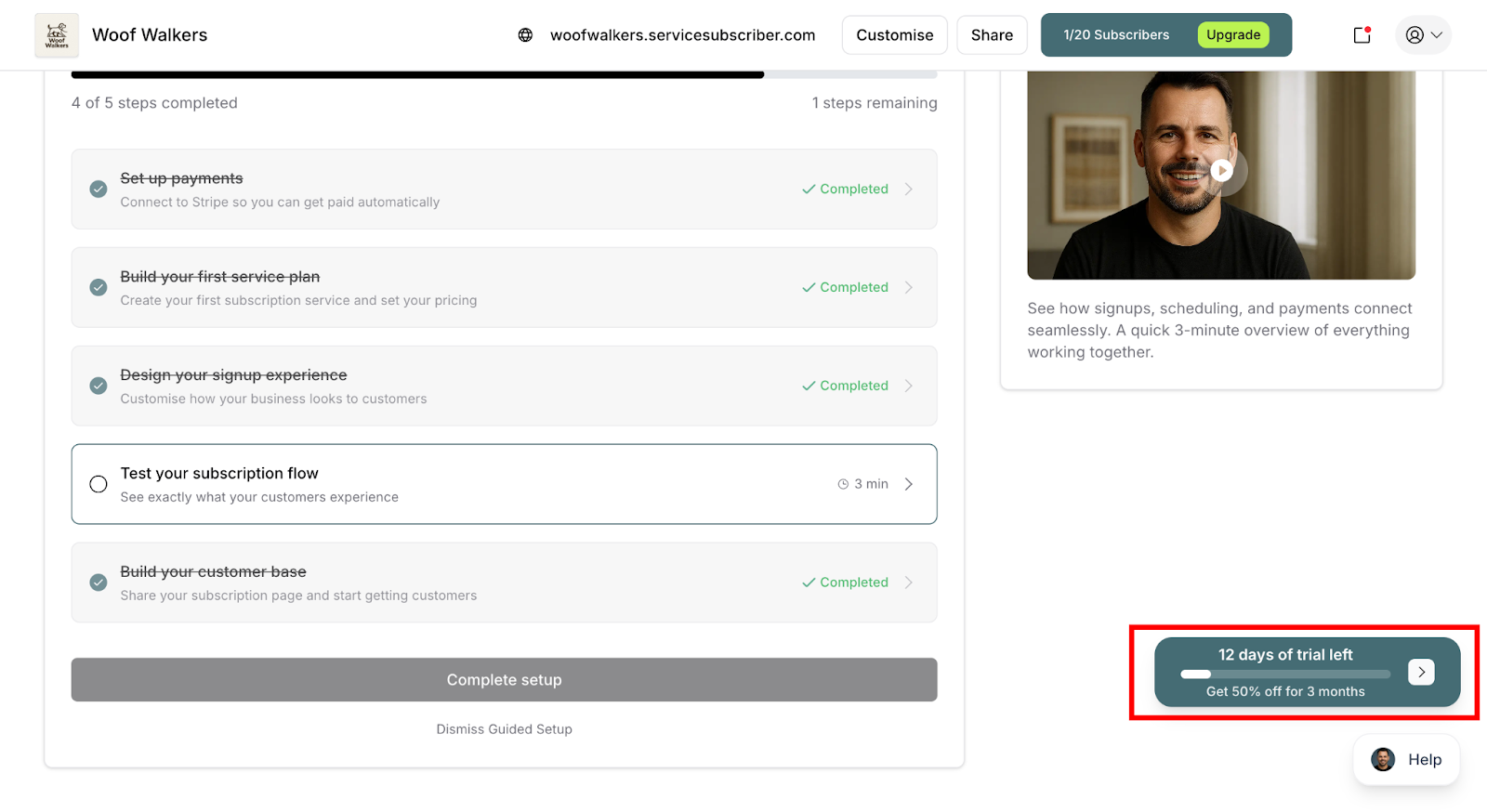
Floating Trial Bar
A floating notification appears in the bottom-right corner of your screen showing:
Days remaining in your trial
Quick access to upgrade options
Special offer: "Get 50% off for 3 months"
Progress Updates
The trial bar updates daily, keeping you informed:
Day 1-10: Focus on building
Day 11-13: Reminders about choosing a plan
Day 14: Final day notice
✍️ TIP: You can temporarily dismiss the trial notification, but it will reappear to keep you updated. This ensures you never accidentally let your trial expire without realizing it.
What Happens During Your Trial
You Can Accept Real Customers
Your trial isn't a sandbox—it's the real thing:
Customers can subscribe to your services
Customers can make one-off purchases at regular price
All payments process through your connected Stripe account
Money goes directly to your bank account
All customer data stays in your account
Both subscriptions and one-off purchases count as real revenue
Example: If you get 3 subscribers during your trial at $50/month each ($150 MRR) plus 5 one-off purchases at $65 each ($325), that's real revenue you've earned before paying for the platform.
You Pay ServiceSubscriber Nothing
During your 14 days:
No platform subscription fees
No transaction fees (on either subscriptions or one-off purchases)
No hidden charges
Keep 100% of your revenue (minus Stripe's payment processing fees)
✅ BEST PRACTICE: Use your trial to validate your business idea. If you can get even 2-3 customers during your free trial (whether they subscribe or make one-off purchases), you've proven there's demand for your service.
✍️ TIP: Enable both subscriptions and one-off purchases during your trial to see which purchase type your customers prefer. This data helps you understand your market and optimize your offering.
When Your Trial Ends
Day 14: Choose Your Plan
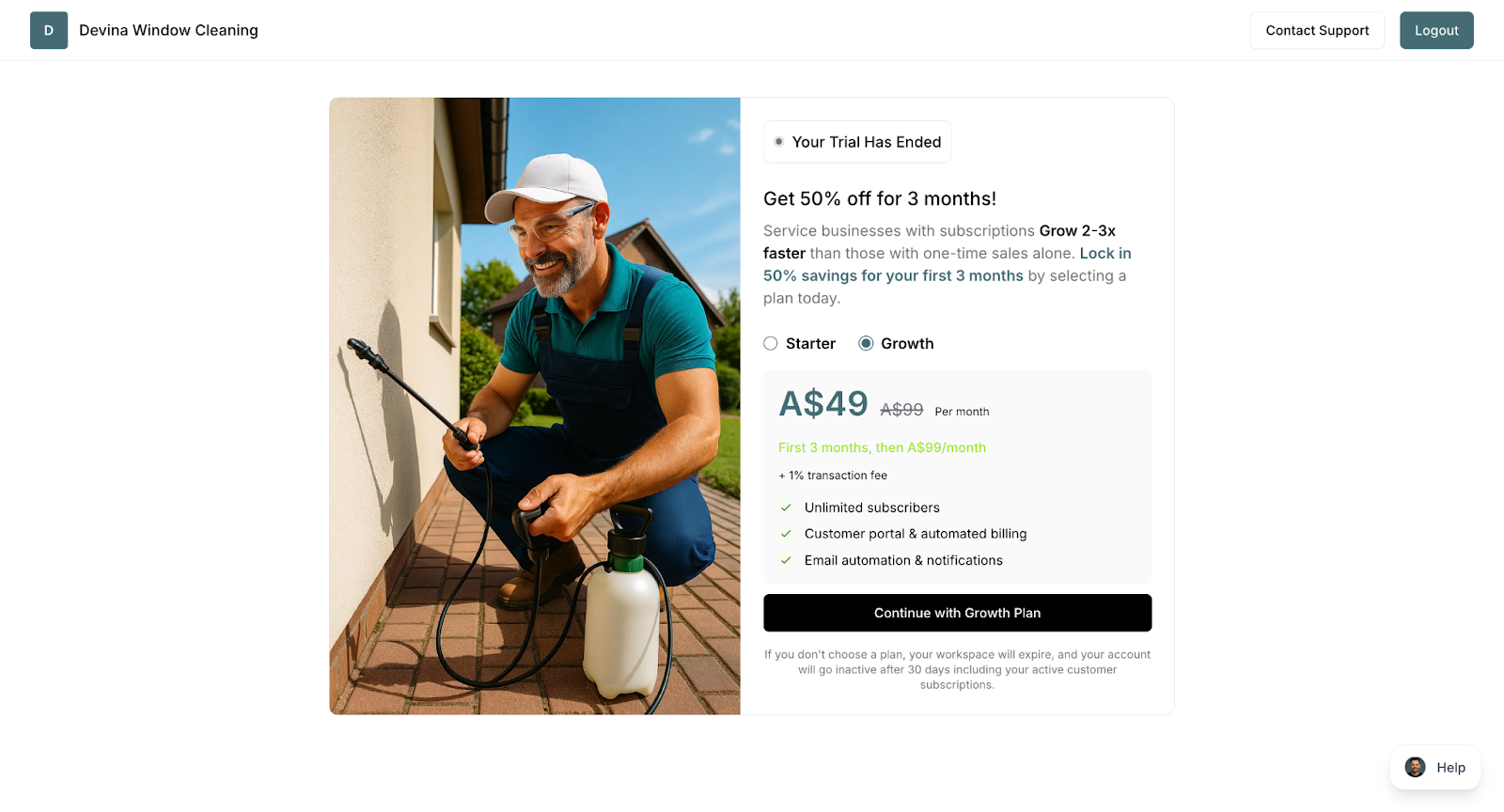
When your 14-day trial expires, you'll be prompted to select a plan:
You'll see a plan selection screen
You cannot access other platform features until you choose
Review both Starter and Growth options
Select your preferred plan
Enter payment details (credit/debit card)
Confirm your selection
⚠️ IMPORTANT: Your existing customers and data remain safe during this transition. Choosing a plan restores full access to all platform features immediately.
Your Customers During the Transition
What stays active:
All existing subscriptions continue running
All one-off purchase orders remain valid
Scheduled services remain in place
Payment processing continues through Stripe for subscribers
Customer accounts stay accessible to them
Customers can still manage their subscriptions through their portal
What pauses:
You cannot access your dashboard until selecting a plan
You cannot manage subscriptions, customers, or schedules
New customer signups are paused (both subscriptions and one-off purchases)
You cannot create new subscriber invitations
You cannot fulfill one-off purchase orders
✍️ TIP: To avoid any service interruption, choose your plan before your trial ends. You can upgrade to a paid plan anytime during your trial without waiting for day 14.
✅ BEST PRACTICE: If you have active customers (subscribers or one-off purchasers), select your plan immediately when prompted. This ensures you maintain full control over your business operations and can fulfill commitments to your customers.
Upgrading Before Your Trial Ends
You don't have to wait for your trial to expire—you can upgrade anytime:
Navigate to Payouts > Subscription
Click Upgrade Now on your preferred plan
Enter your payment details
Confirm your selection
✅ BEST PRACTICE: If you get 3+ customers during your trial (whether subscribers or one-off purchasers), upgrade immediately. You're already earning revenue—securing your platform subscription ensures uninterrupted service and access to manage your customers.
✍️ TIP: Even a mix of customers validates your business. For example, 2 subscribers + 3 one-off purchases shows clear market demand and is a great signal to upgrade and commit to your service business.
Was this article helpful?
That’s Great!
Thank you for your feedback
Sorry! We couldn't be helpful
Thank you for your feedback
Feedback sent
We appreciate your effort and will try to fix the article