Your live site is your digital storefront—where potential customers discover your services and make purchases. Getting this link in front of people is essential for growing your customer base.
This guide shows you how to share your site effectively across multiple channels.
Finding Your Live Site URL
Location 1: Top Navigation Bar
Displays at the top of your dashboard
Shows your full URL: yourname.servicesubscriber.com
Click to visit your live site
Location 2: Share Button
Look for Share button in top navigation
Click to copy your URL
Quick access for sharing
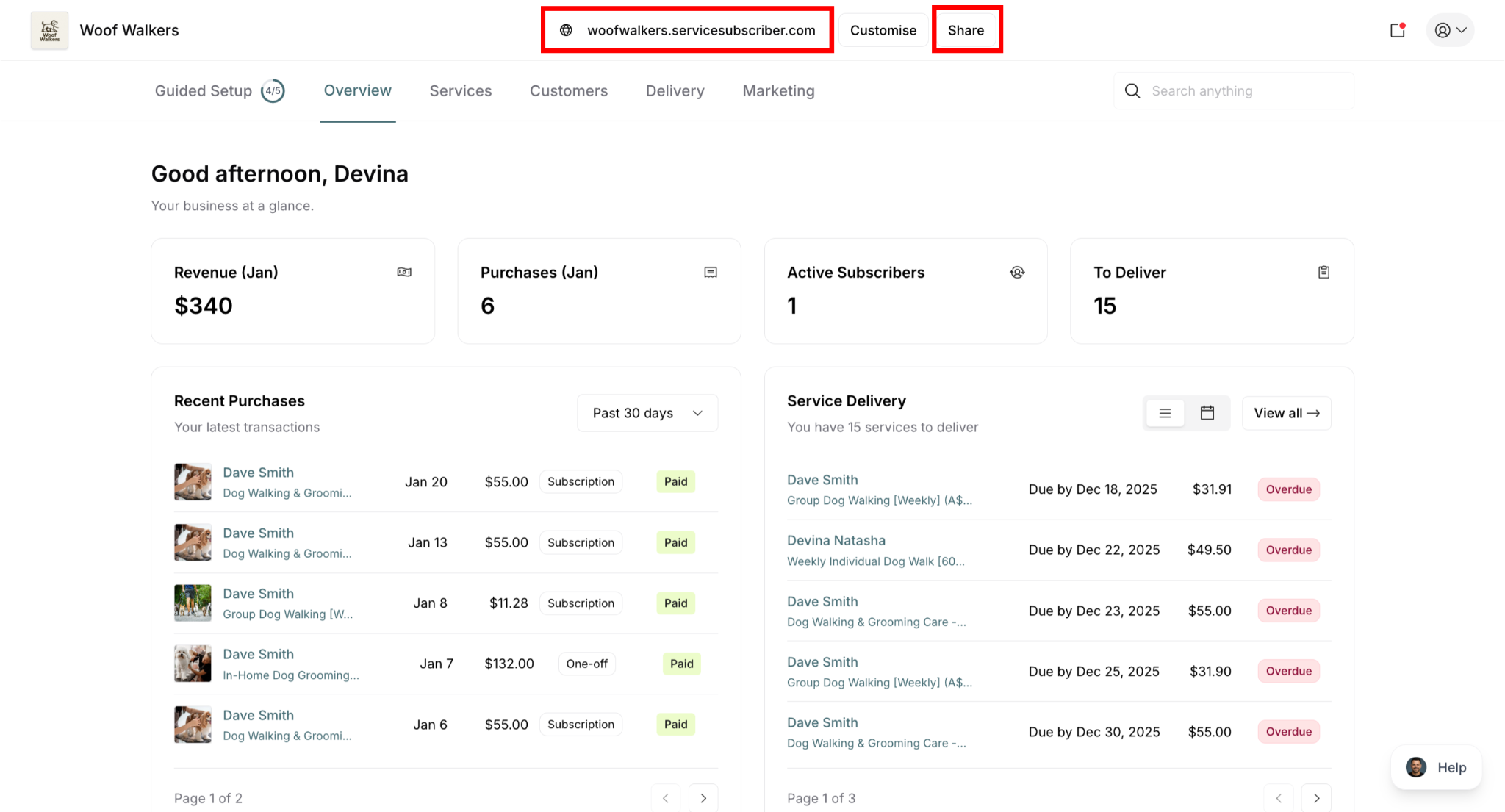
✍️ TIP: Your URL is always: yourname.servicesubscriber.com where "yourname" is the subdomain you chose during setup.
Quick Sharing Methods
Share Button
The fastest way to share:
Click Share button in top navigation
Your URL automatically copies to clipboard
Paste into email, text, social media, etc.
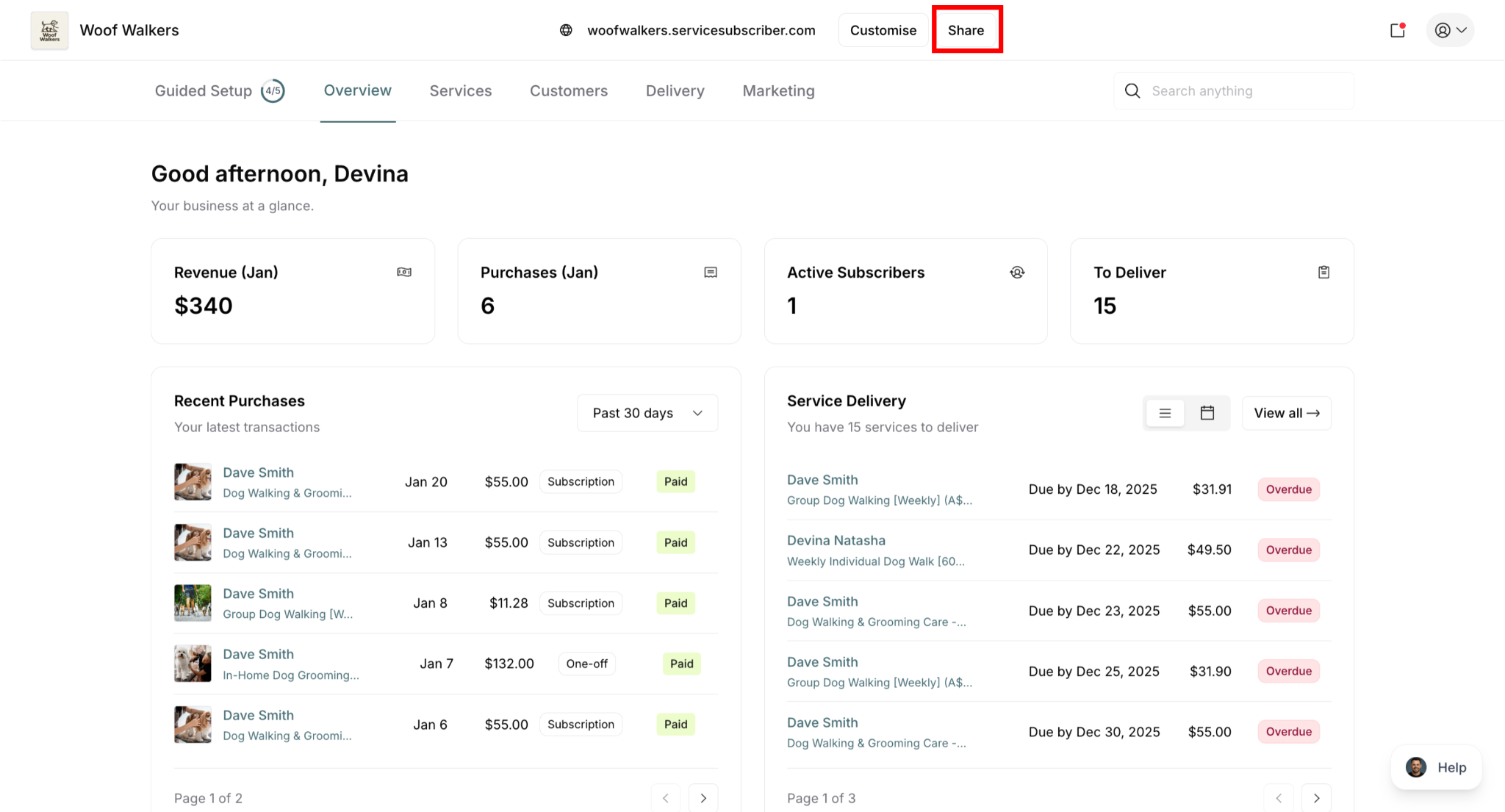
✅ BEST PRACTICE: Use the Share button for quick one-off sharing. Bookmark your URL for frequent use.
QR Code
Let customers scan to visit your live site instantly:
To download your QR code:
Go to Guided Setup page
Click Build your customer base step
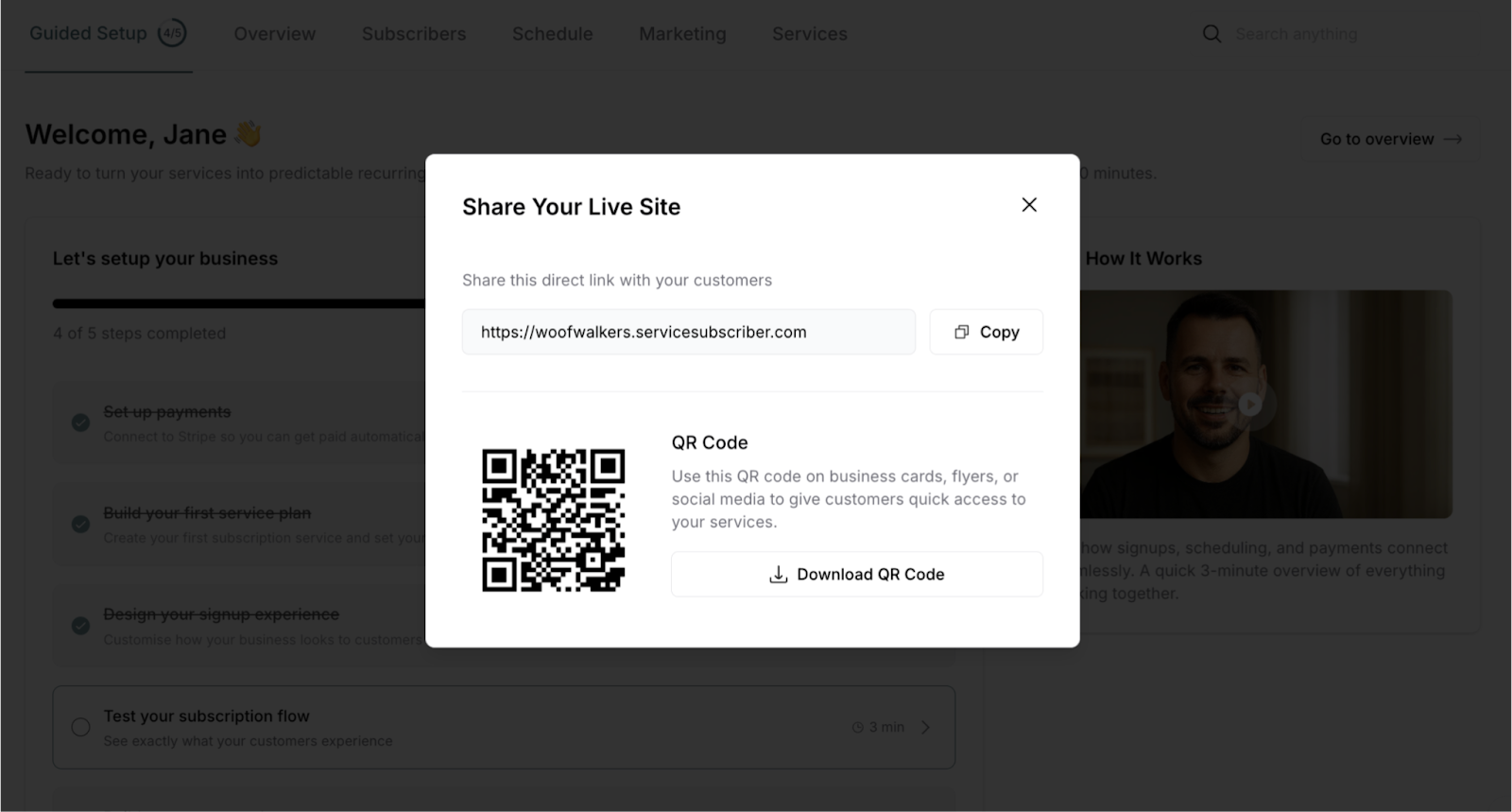
OR, Click Share button in top navigation
Download your QR code image
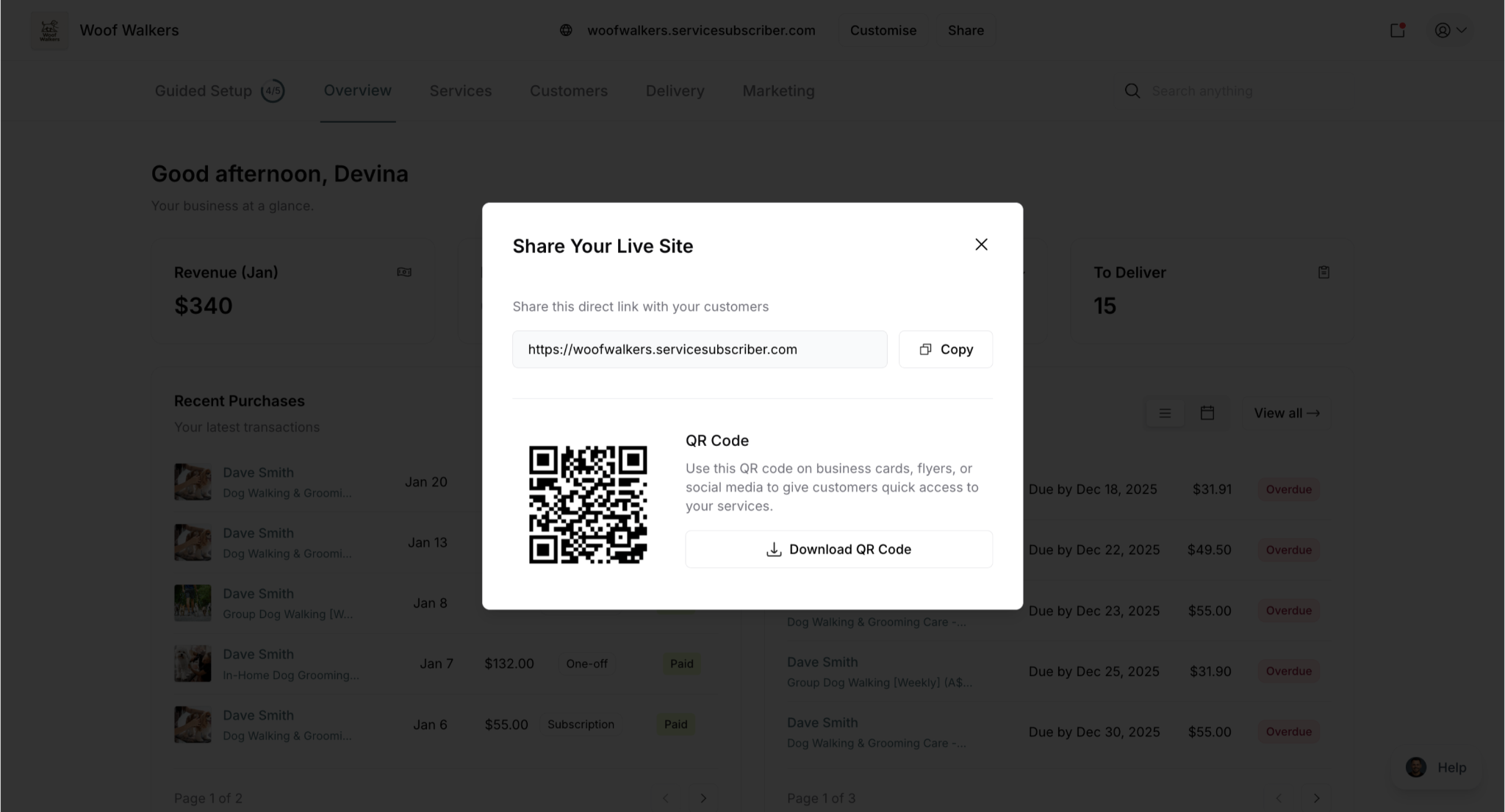
✍️ TIP: Test your QR code with your phone before printing. Ensure it scans easily and loads your live site correctly.
Where to use QR codes:
Business cards
Vehicle signage
Flyers and handouts
Window displays
Marketing materials
In-person conversations
Where to Share Your Link
Share your subscription page URL everywhere customers interact with your business to maximize signup opportunities and make subscribing easy.
Add to every email: Include your subscription page URL in your email signature so every email you send—whether to customers, prospects, or business contacts—promotes your subscription services automatically.
Invoice promotion: Add your subscription URL to invoice footer for visibility on every payment, include a QR code for easy mobile scanning, and note subscription savings compared to one-time service pricing to encourage conversion.
Leave-behind materials: After completing service, leave a business card with your URL prominently displayed, include a thank-you note with the subscription link and special offer, or send follow-up text or email with direct link to subscribe.
Directory listings: List your subscription page URL on business directories where customers search for services:
Yelp (add in business description section)
Nextdoor (include on business page)
Local business directories (Google Business Profile, local listings)
Industry-specific platforms (HomeAdvisor, Angi, etc.)
Chamber of Commerce listings and member directories
Paid Promotion (Optional)
Social media advertising: Target local customers with paid ads on Facebook and Instagram by location and demographics, linking directly to your subscription page starting with small budgets ($5-10/day to test).
Google Ads: Run local service ads and search ads targeting your service area, directing clicks to your subscription page for immediate signups.
Local sponsorships: Sponsor community events, youth sports teams, local newsletters, or charity partnerships—each sponsorship opportunity provides exposure and a chance to share your subscription link with engaged local audiences.
✅ BEST PRACTICE: Share your link everywhere, often. Add it to every customer touchpoint. The more places it appears, the more subscribers you'll gain.
Was this article helpful?
That’s Great!
Thank you for your feedback
Sorry! We couldn't be helpful
Thank you for your feedback
Feedback sent
We appreciate your effort and will try to fix the article