Pricing is one of the most important decisions for your subscription business. Set prices too high and customers won't purchase; too low and you won't be profitable. This guide helps you set pricing that attracts customers while sustaining your business.
Understanding Pricing Fields
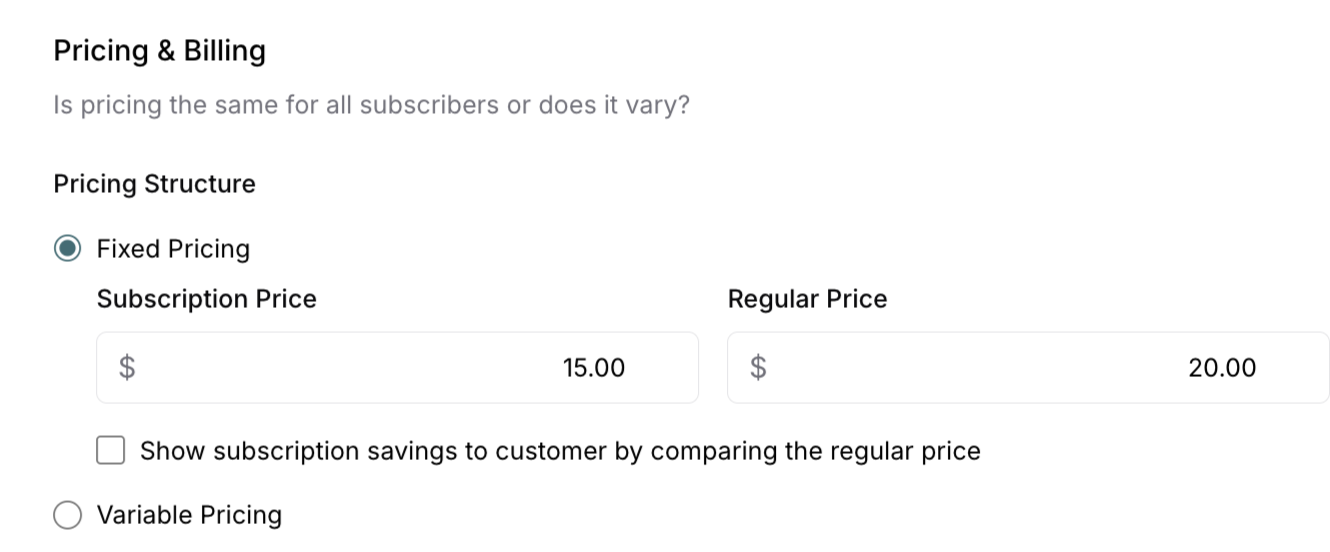
ServiceSubscriber requires two pricing points for each service:
Subscription Price
What it is: The recurring price subscribers pay for ongoing service
Characteristics:
Typically lower than regular pricing to incentivize subscriptions
Rewards customer commitment with better rates
Creates predictable recurring revenue
Billed automatically each cycle
Applies to customers who choose subscription option
Example: $15/week for weekly dog walking subscription
Regular Price
What it is: The standard price for one-time service purchases
Characteristics:
Required for all services (not optional)
Typically higher than subscription price (20-30% more)
Used for one-off purchases when enabled
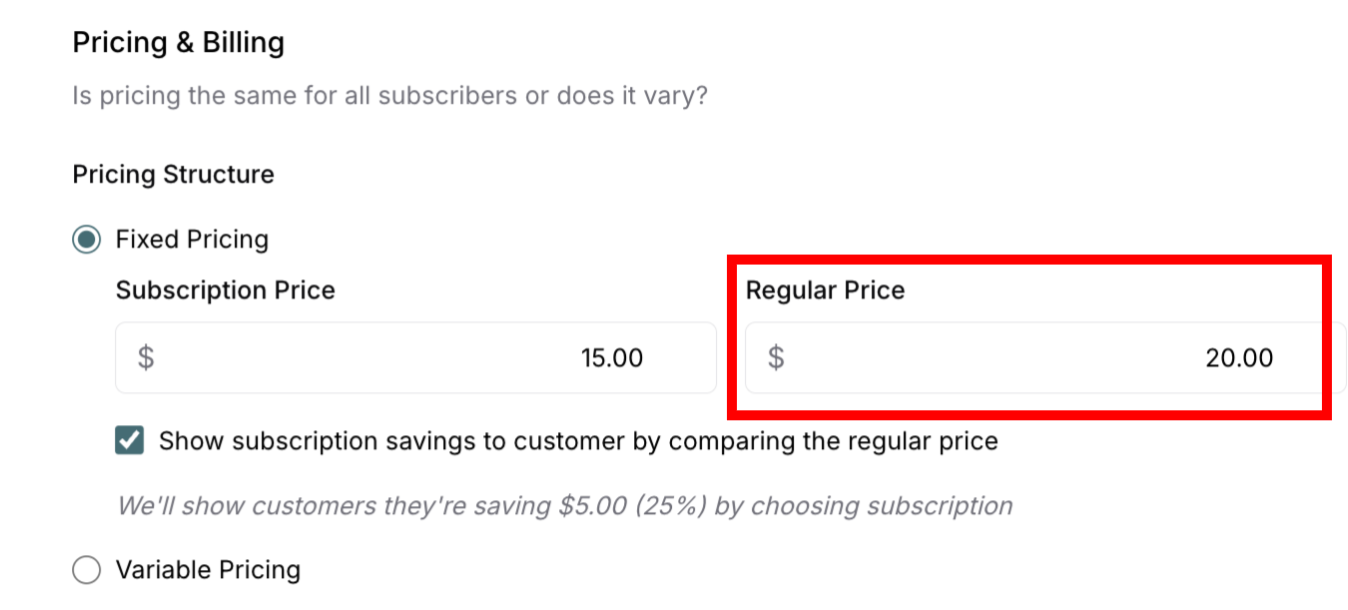
Serves as price comparison to show subscription value
Not recurring—single payment for single service
Example: $20 for one-time dog walking service
✍️ TIP: Both prices are required. The regular price shows the value subscribers receive, even if you disable one-off purchases. It demonstrates "this is what you'd pay elsewhere" versus "this is your special subscriber rate."
Purchase Options Settings
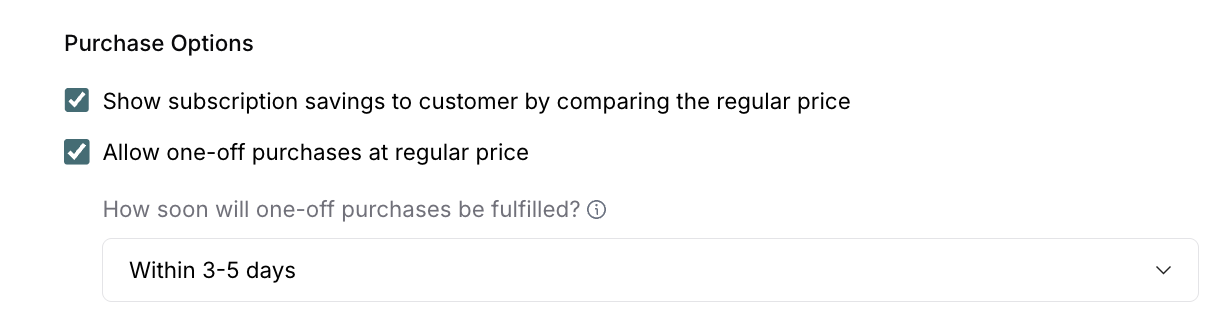
After setting your prices, configure how customers can purchase your service:
Show Subscription Savings
What it does: Displays the price difference and savings amount to customers
When to enable:
You want to highlight the value of subscribing
Price difference is significant (20-30%)
You're encouraging subscription sign-ups
Example display: "Save $5 per visit by subscribing!" or "Save 25% with a subscription"
Allow One-Off Purchases
What it does: Lets customers purchase your service once at regular price without subscribing
Default setting: Enabled (checked by default)
When to keep enabled:
You want to let customers try before subscribing
Your service works well for occasional needs
You can accommodate one-time requests
When to disable:
You only want subscription-based customers
One-time services aren't viable for your business
You want to focus exclusively on recurring revenue
Fulfillment timeline: If enabled, set how soon one-off purchases will be fulfilled (24-48 hours, 3-5 days, 5-7 days, 1-2 weeks, 2-4 weeks)
Subscription vs Regular Pricing
Setting the Subscription Price
Your subscription price should meet these criteria:
Cover all costs plus profit: Calculate using the pricing formula to ensure you cover expenses, include all payment processing fees (Stripe + ServiceSubscriber transaction fees), add your desired profit margin, and round to attractive price points like $49 or $75.
Be competitive: Research what local competitors charge for similar services, price similarly when offering comparable quality, and justify higher prices with clear differentiators like better service quality, eco-friendly products, or additional value.
Encourage subscriptions: Set subscription prices lower than regular pricing, demonstrate clear value for the recurring commitment, and make it worth the customer's ongoing investment.
Example subscription prices: Weekly lawn care typically ranges $40-60/week, monthly house cleaning $100-150/month, bi-weekly window cleaning $70-90/visit, and quarterly pest control $120-180/quarter.
Setting the Regular Price
Since regular price is required for all services, set it strategically:
20-30% premium recommended: If subscription price is $80/month, set regular one-time price at $100-105/visit to show clear savings for subscribers.
Why charge more for regular price:
Creates price anchoring effect (subscription looks valuable)
One-time services provide less predictable revenue for planning
Higher customer acquisition costs without recurring revenue
No loyalty commitment from customer
More scheduling complexity compared to recurring subscriptions
If you disable one-off purchases: Regular price still serves as a comparison point to show subscription value, even if customers cannot actually make one-time purchases.
Variable Pricing (Multiple Tiers)
Variable pricing works best for services where size or scope varies significantly between customers.
Good for: House cleaning based on home size (small/medium/large homes), lawn care with property size variations, pool service for different pool sizes, or pet care based on number of pets.
Creating Price Tiers
Typical three-tier structure:
Small/Basic: Entry-level pricing for smallest scope
Medium/Standard: Most common tier where majority of customers fall
Large/Premium: High-end pricing for largest scope
Example: House Cleaning
Small home (1-2 bedrooms): $90/month
Medium home (3-4 bedrooms): $120/month
Large home (5+ bedrooms): $160/month
Example: Lawn Care
Small yard (< 2,000 sq ft): $40/week
Medium yard (2,000-5,000 sq ft): $55/week
Large yard (5,000+ sq ft): $75/week
✍️ TIP: Most customers choose the middle tier. Price it as your target rate with small and large tiers providing options for outliers.
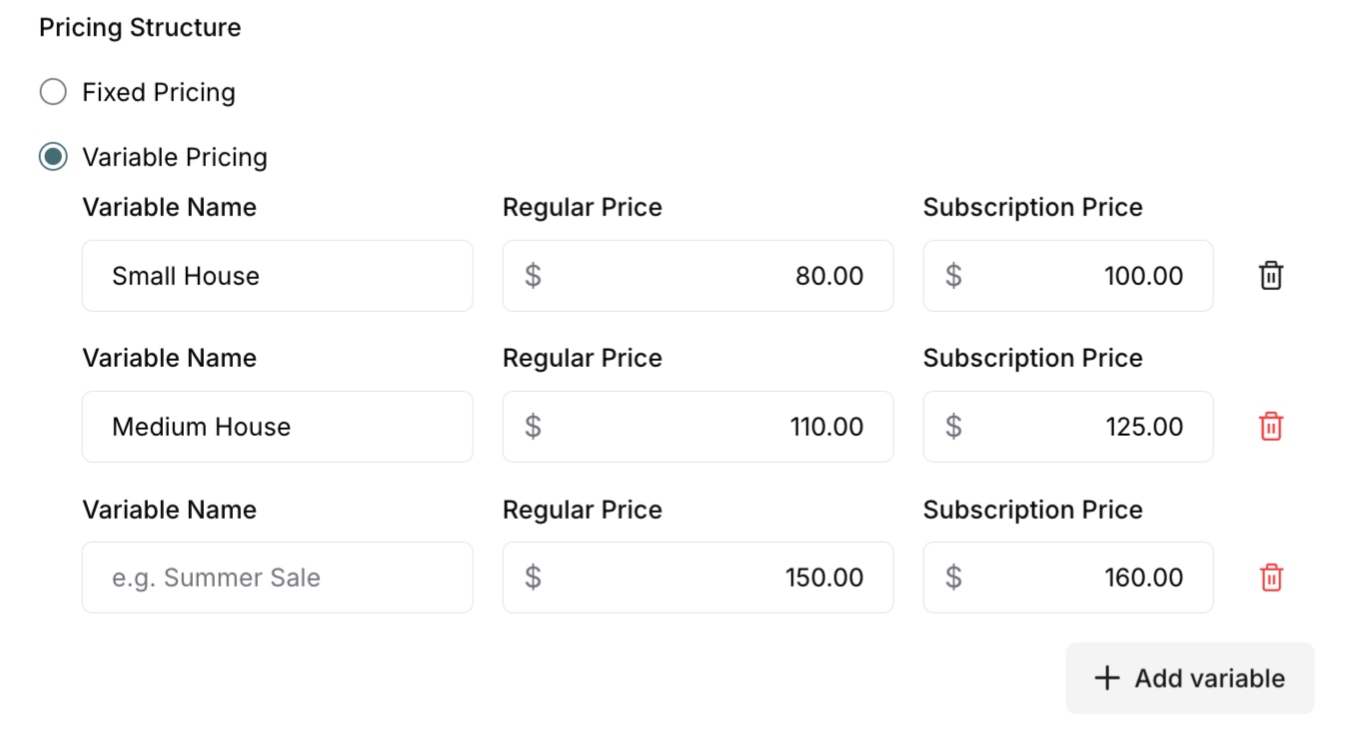
Purchase Options with variable pricing: Set Purchase Options at the service level—they apply to all tiers. If you allow one-off purchases, customers can choose their tier and purchase once, or subscribe to ongoing service at that tier.
Was this article helpful?
That’s Great!
Thank you for your feedback
Sorry! We couldn't be helpful
Thank you for your feedback
Feedback sent
We appreciate your effort and will try to fix the article