High-quality images showcase your work and build trust with potential subscribers. ServiceSubscriber lets you add up to 6 images per service to create a visual portfolio that converts browsers into paying customers.
Image Requirements
Technical Specifications
File formats accepted:
JPG/JPEG (recommended)
PNG
WebP
File size:
Maximum per image: Typically 5-10 MB
Recommended: 500 KB - 2 MB for fast loading
Dimensions:
Minimum: 800 × 600 pixels
Recommended: 1200 × 900 pixels or higher
Aspect ratio: 4:3 or 16:9 works best
Number of images:
Minimum: 1 (but 3+ recommended)
Maximum: 4 per service
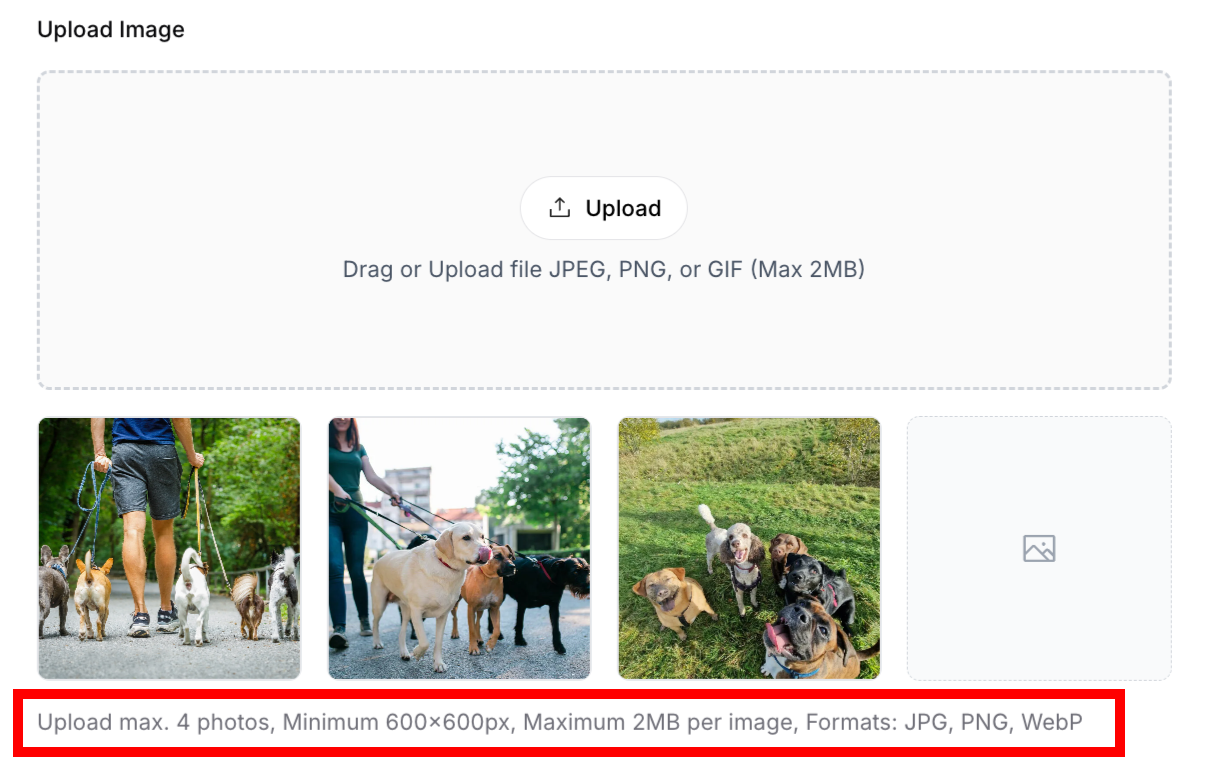
✅ BEST PRACTICE: Use high-resolution images that look sharp on all devices, but compress them to balance quality and loading speed.
Managing Uploaded Images
Reordering Images
The first image is your primary display image—make it count!
To reorder:
Click and drag image thumbnails
Drop in desired position
First position = primary image
Reorder affects display on your site
Service images with drag-and-drop reordering capability
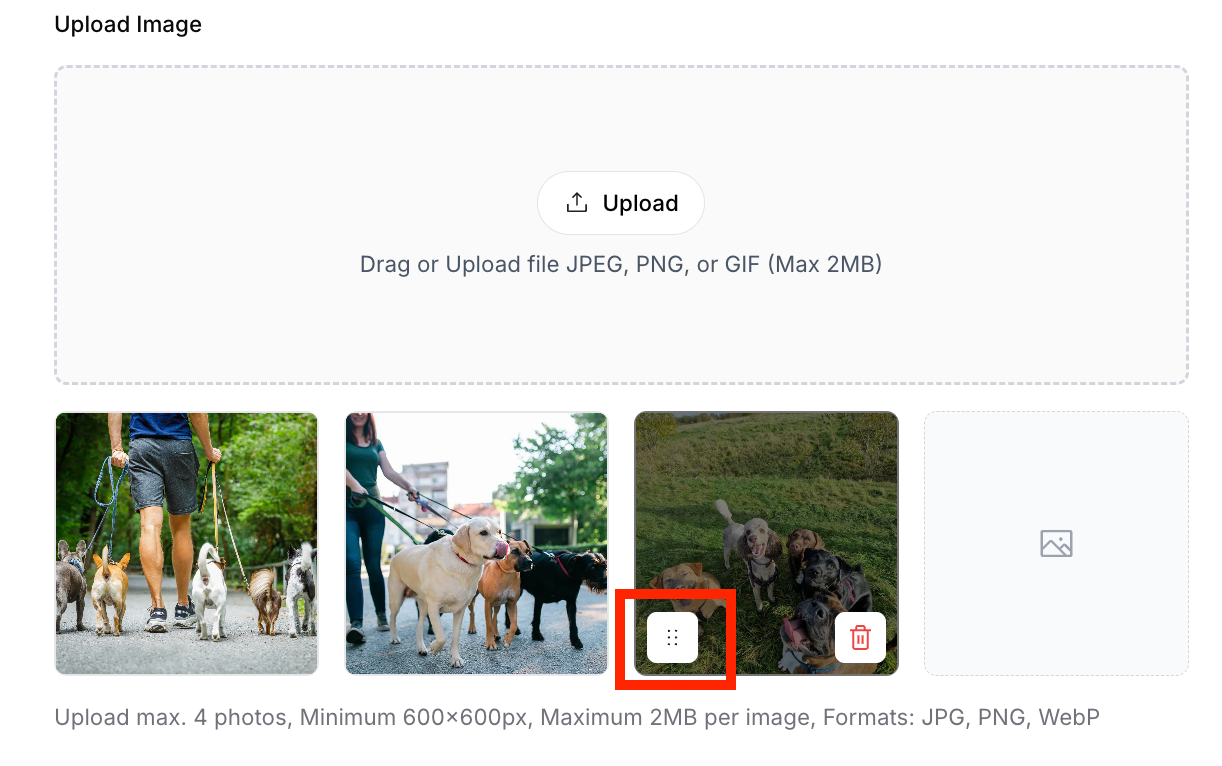
✅ BEST PRACTICE: Put your best, most compelling image first. This is what customers see in service listings and previews.
Deleting Images
Remove images that don't fit or need replacement:
To delete:
Hover over the image thumbnail
Click the trash bin icon
Confirm deletion if prompted
Image removes immediately
Service image thumbnail showing delete button on hover
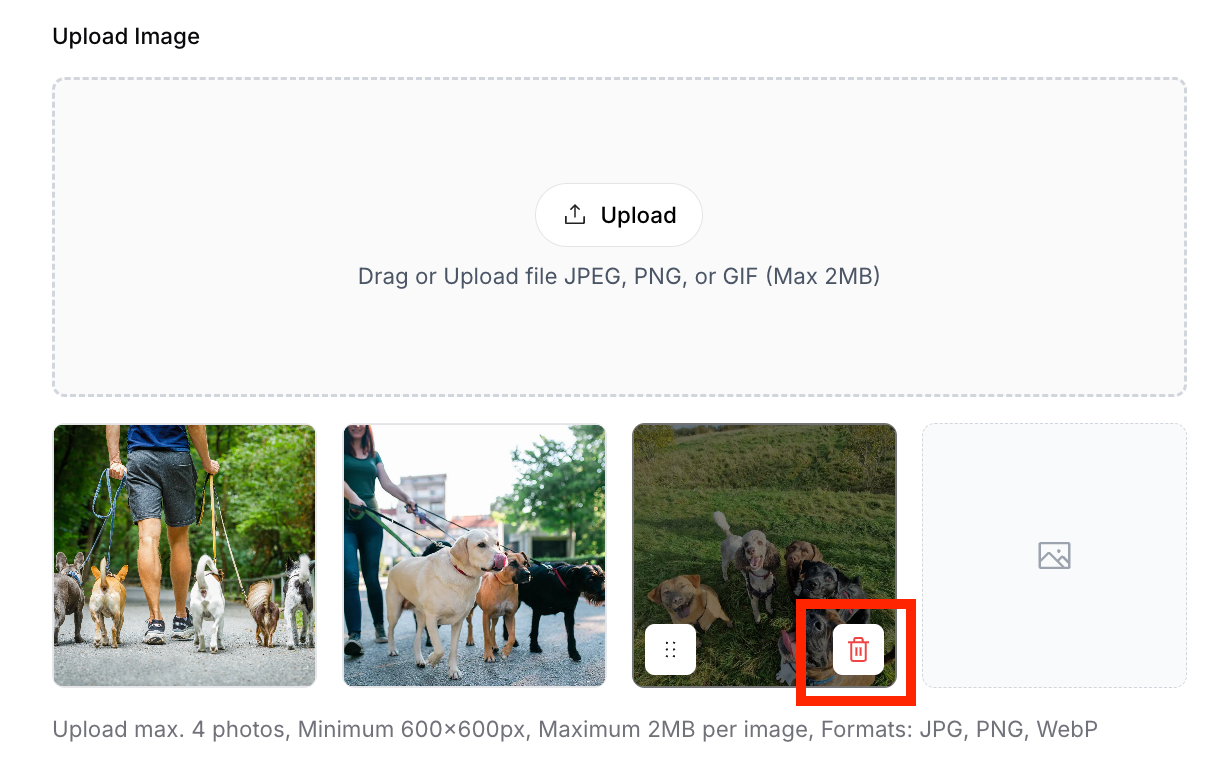
⚠️ IMPORTANT: Deleting images is permanent. Make sure you have the original file saved elsewhere if you might want it later.
Replacing Images
To replace an image with a better version:
Delete the old image
Upload the new image
Reorder if needed to maintain position
Save your changes
Was this article helpful?
That’s Great!
Thank you for your feedback
Sorry! We couldn't be helpful
Thank you for your feedback
Feedback sent
We appreciate your effort and will try to fix the article