Your domain is your subscription page's web address. Customizing your subdomain makes your site easier to remember, more professional, and better aligned with your brand identity.
This guide explains how to customize your subdomain.
Why Domain Matters
A custom subdomain helps customers:
Remember your page URL easily
Find you through direct links
See professional, branded web address
Trust your business more
Share your link confidently
✍️ TIP: A branded subdomain like "yourname.servicesubscriber.com" is more professional than a random string of numbers and looks better when shared.
Understanding Your Domain
Domain Structure
Your subscription page URL has this format:
[yoursubdomain].servicesubscriber.com
What you control:
[yoursubdomain] - The first part (customizable)
What's fixed:
.servicesubscriber.com - The domain extension (cannot change)
Examples:
woofwalkers.servicesubscriber.com
dogwalking.servicesubscriber.com
petsitters.servicesubscriber.com
Where Your Domain Appears
Your subdomain is visible:
At top of My Site settings page
In browser address bar
When customers visit your site
In shared links
In published site URL
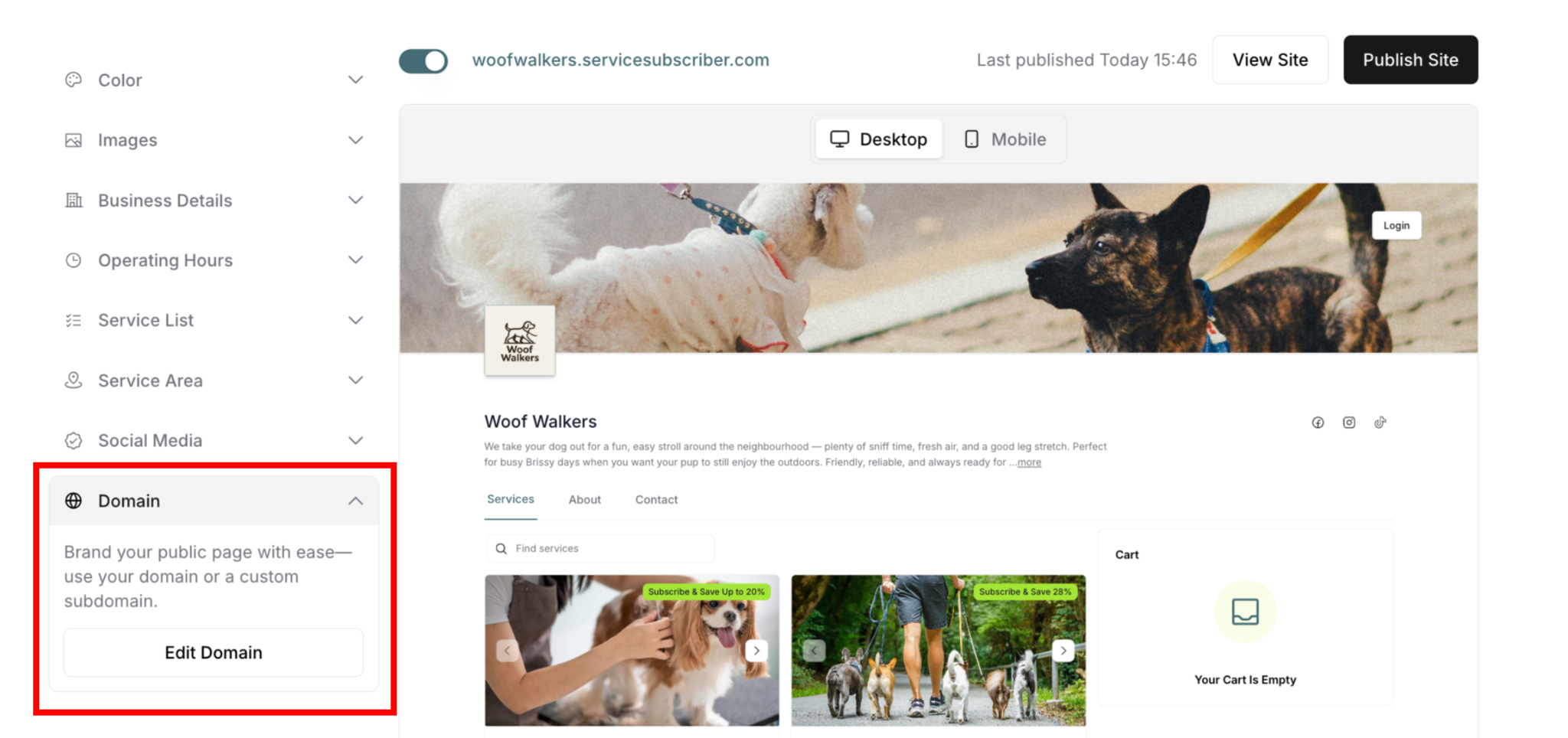
Accessing Domain Settings
From My Site Settings:
Navigate to My Site (profile icon → My Site)
Find Domain in left panel
Click to expand section
See description and Edit button
How to Change Your Subdomain
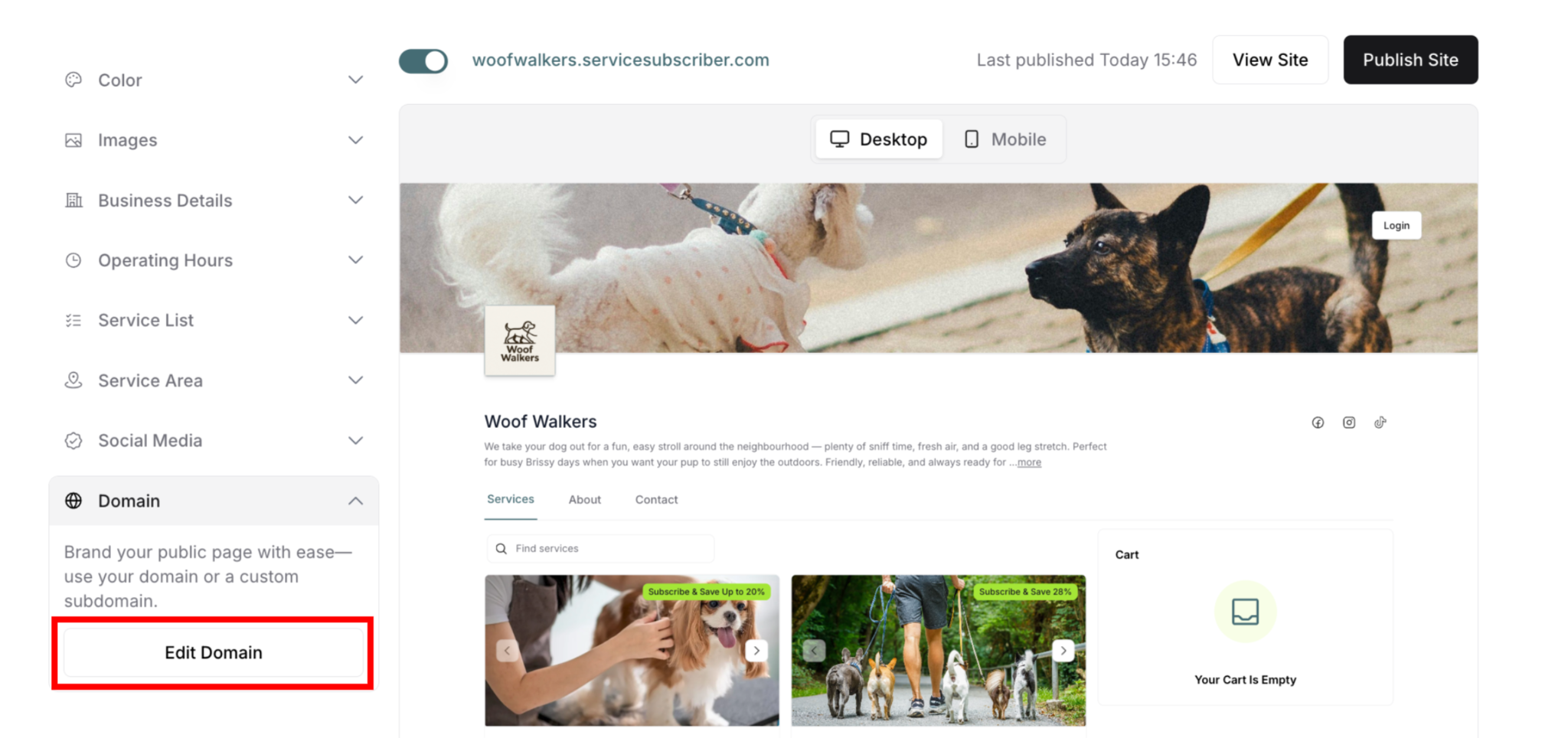
Opening the Domain Editor
To edit your subdomain:
Find Domain section (left panel)
Click Edit Domain button
Modal appears: "Manage Domain"
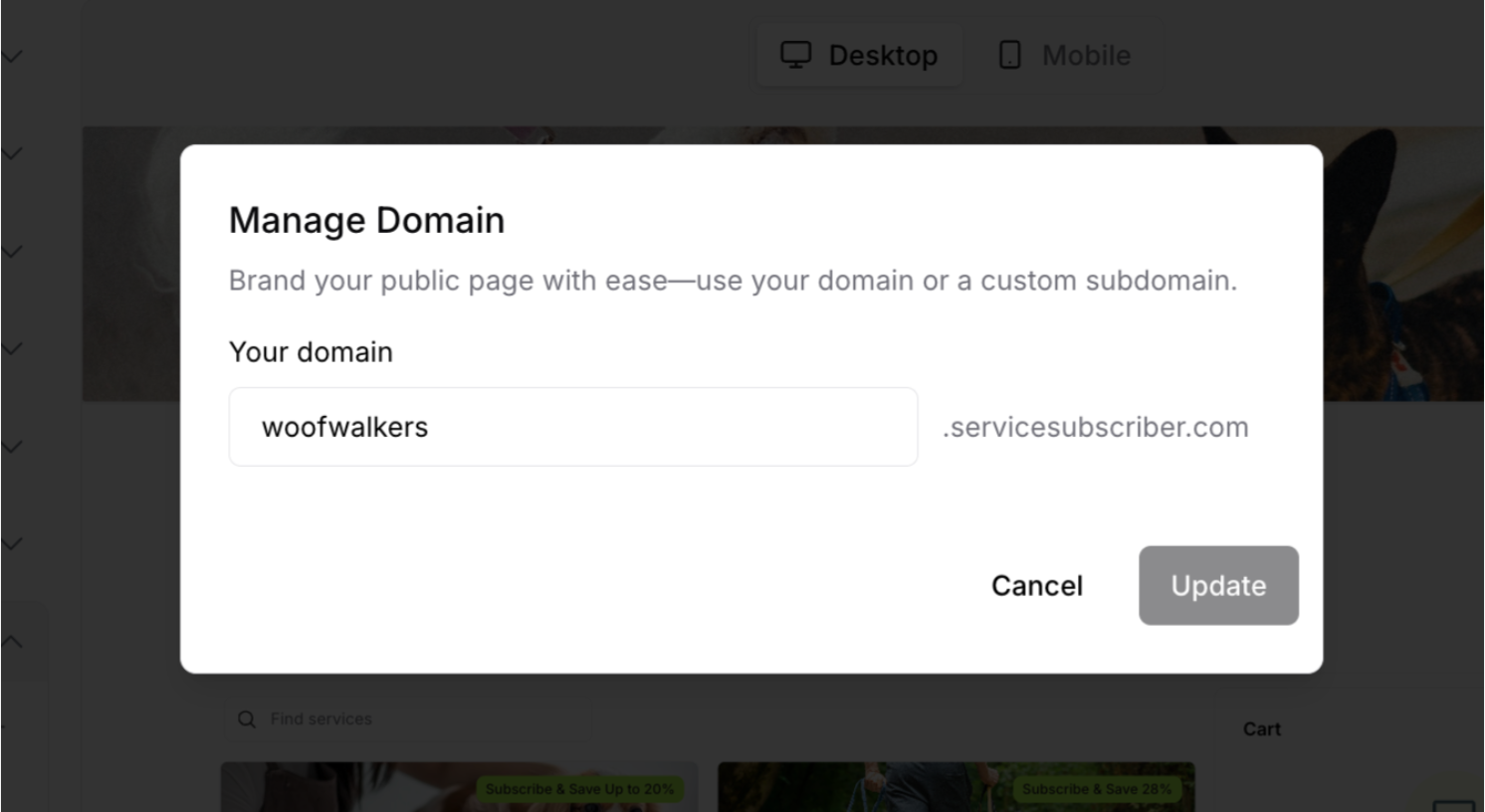
See current subdomain
Make changes
Click Update to save, or Cancel to discard
Step-by-Step: Changing Subdomain
Complete process:
Click Edit Domain button
Modal opens
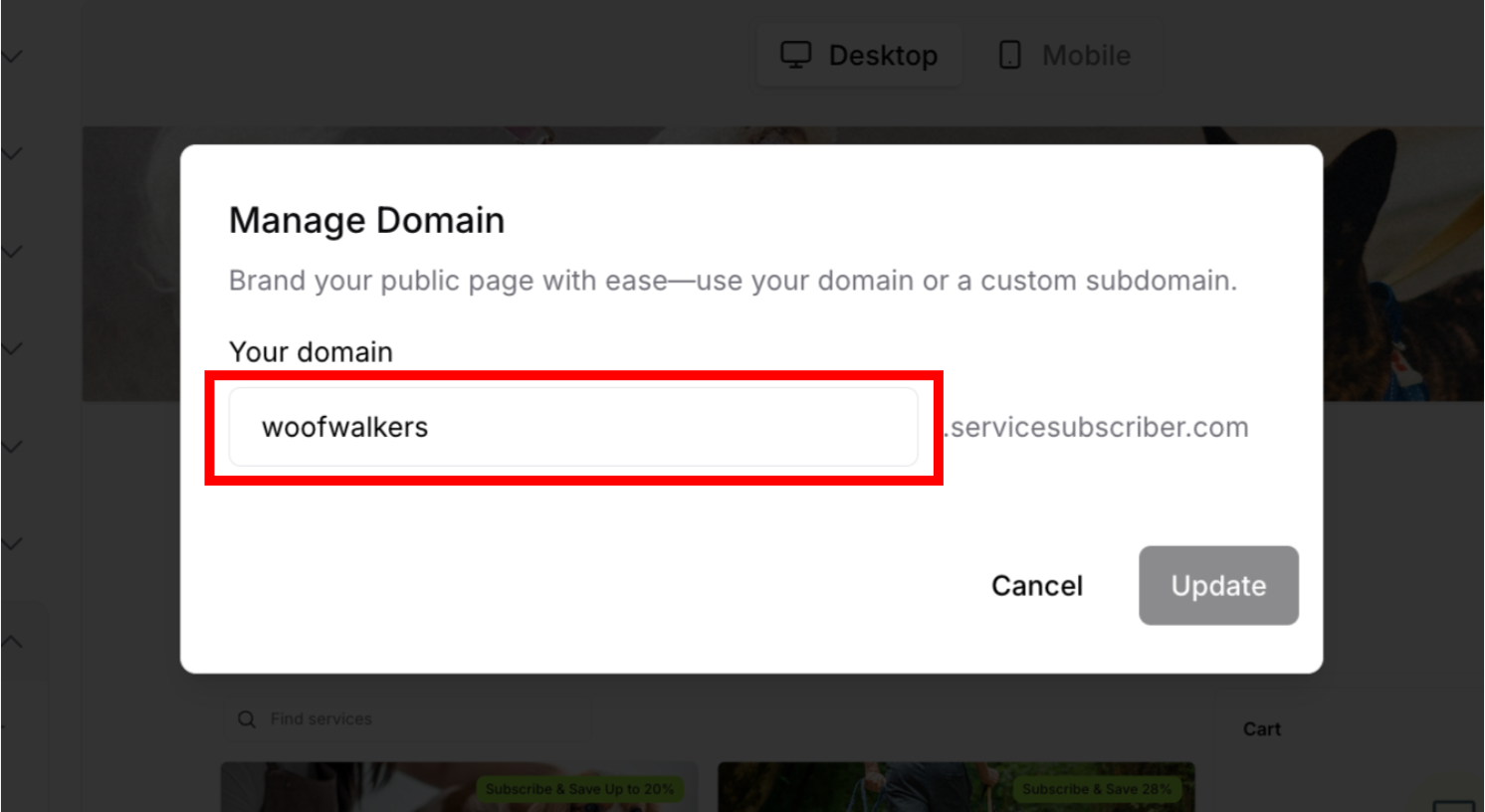
Review current subdomain:
Shows in input field
Example: "woofwalkers"
Click in input field:
Cursor appears
Select all current text
Or manually edit
Type new subdomain:
Enter desired subdomain name
Example: "woofwalkersau"
Only lowercase letters, numbers, hyphens allowed
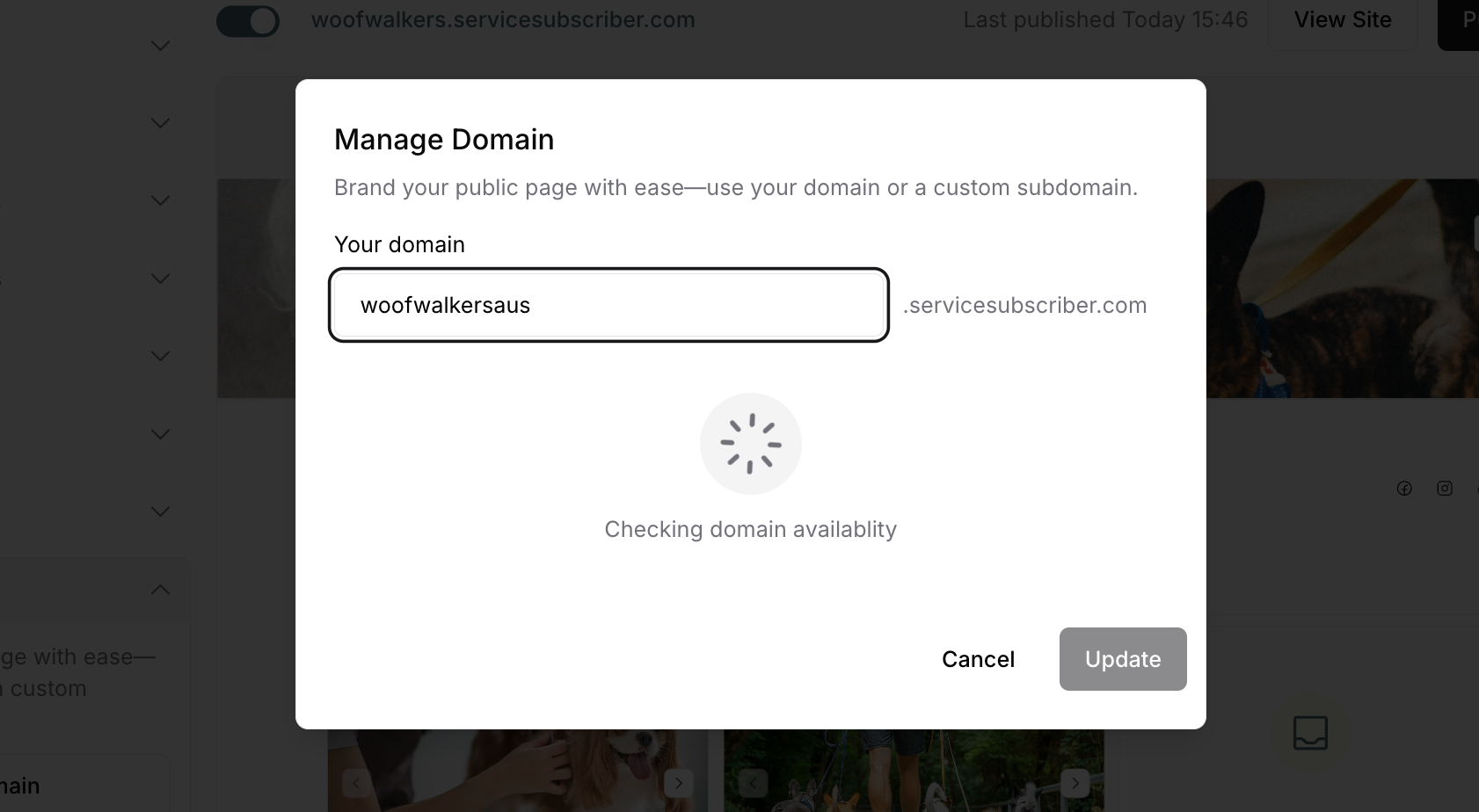
Wait for availability check:
Loading spinner appears
Message: "Checking domain availability"
Takes a few seconds
Check result:
If available: Update button becomes active
If unavailable: Error message appears
Click Update:
If available, subdomain changes
Modal closes
New subdomain active immediately
Verify change:
Check URL at top of My Site settings
New subdomain displays
Site now accessible at new URL
Domain Availability
Checking Availability
System automatically checks if subdomain is available:
Process:
Type new subdomain in field
Loading spinner appears automatically
Message: "Checking domain availability"
Result shows below field
Possible results:
Available (Success):
No error message
Update button remains active
Can proceed to save
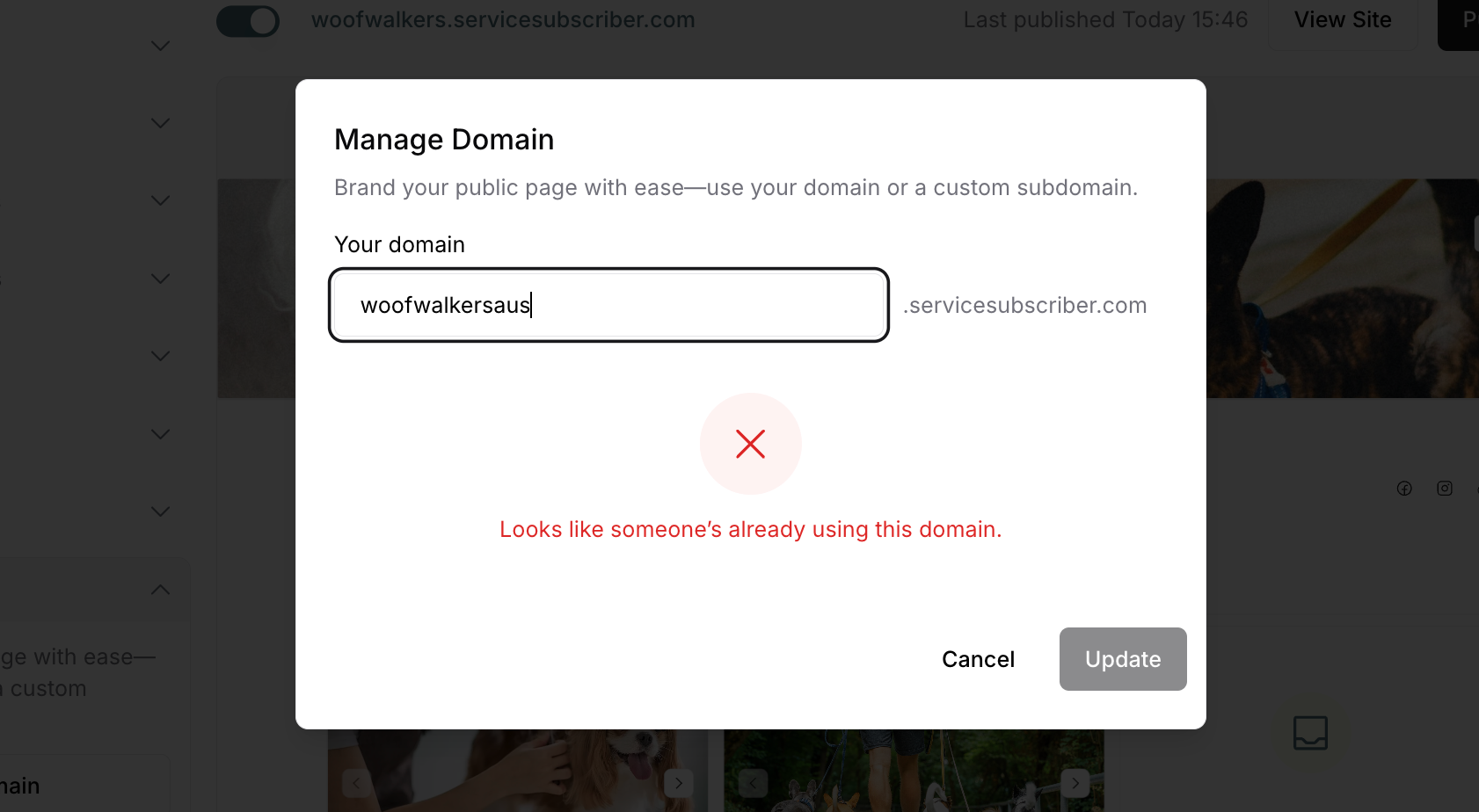
Unavailable (Error):
Red X icon appears
Error message: "Looks like someone's already using this domain."
Update button remains active but won't work
Must choose different subdomain
Subdomain Naming Rules
Allowed Characters
Can use:
✅ Lowercase letters (a-z)
✅ Numbers (0-9)
✅ Hyphens (-)
Cannot use:
❌ Uppercase letters (A-Z)
❌ Spaces
❌ Special characters (!@#$%^&*()+=)
❌ Underscores (_)
❌ Dots (.)
Examples:
Valid subdomains:
dogwalking
pet-care
walker24
sydney-pets
Invalid subdomains:
Dog Walking (spaces)
pet_care (underscore)
WALKER (uppercase - auto-converts to lowercase)
pets@home (special character)
Subdomain Best Practices
For memorability:
✅ Keep it short (5-20 characters ideal)
✅ Use your business name
✅ Make it easy to spell
✅ Avoid complex combinations
✅ Related to your services
For professionalism:
✅ Use business name or service
✅ Avoid random numbers/letters
✅ Spell correctly
✅ Keep it clean and appropriate
✅ Consider branding consistency
Examples:
Good subdomains:
woofwalkers (business name)
sydneypets (location + service)
dogwalking24 (service + availability)
premiumcare (quality indicator)
Less ideal subdomains:
abc123xyz (meaningless)
myawesomebestdogwalkingserviceever (too long)
dg-wlkng (hard to remember)
temp (unprofessional)
✍️ TIP: Your subdomain is your site's identity. Choose it carefully, keep it professional, and update all your marketing materials after changing. Once you have a good subdomain, avoid changing it frequently to maintain consistent branding and prevent confusion.
Was this article helpful?
That’s Great!
Thank you for your feedback
Sorry! We couldn't be helpful
Thank you for your feedback
Feedback sent
We appreciate your effort and will try to fix the article