Before You Start
All you need is:
A valid email address
Access to your email inbox (to receive your verification code)
About 2 minutes of your time
✍️ TIP: Use an email address you check regularly—this is where you'll receive important notifications about your business.
Step 1: Navigate to the Sign-Up Page
Visit servicesubscriber.com
Click the Get Started or Start Yours button on the homepage
The sign-up form will appear
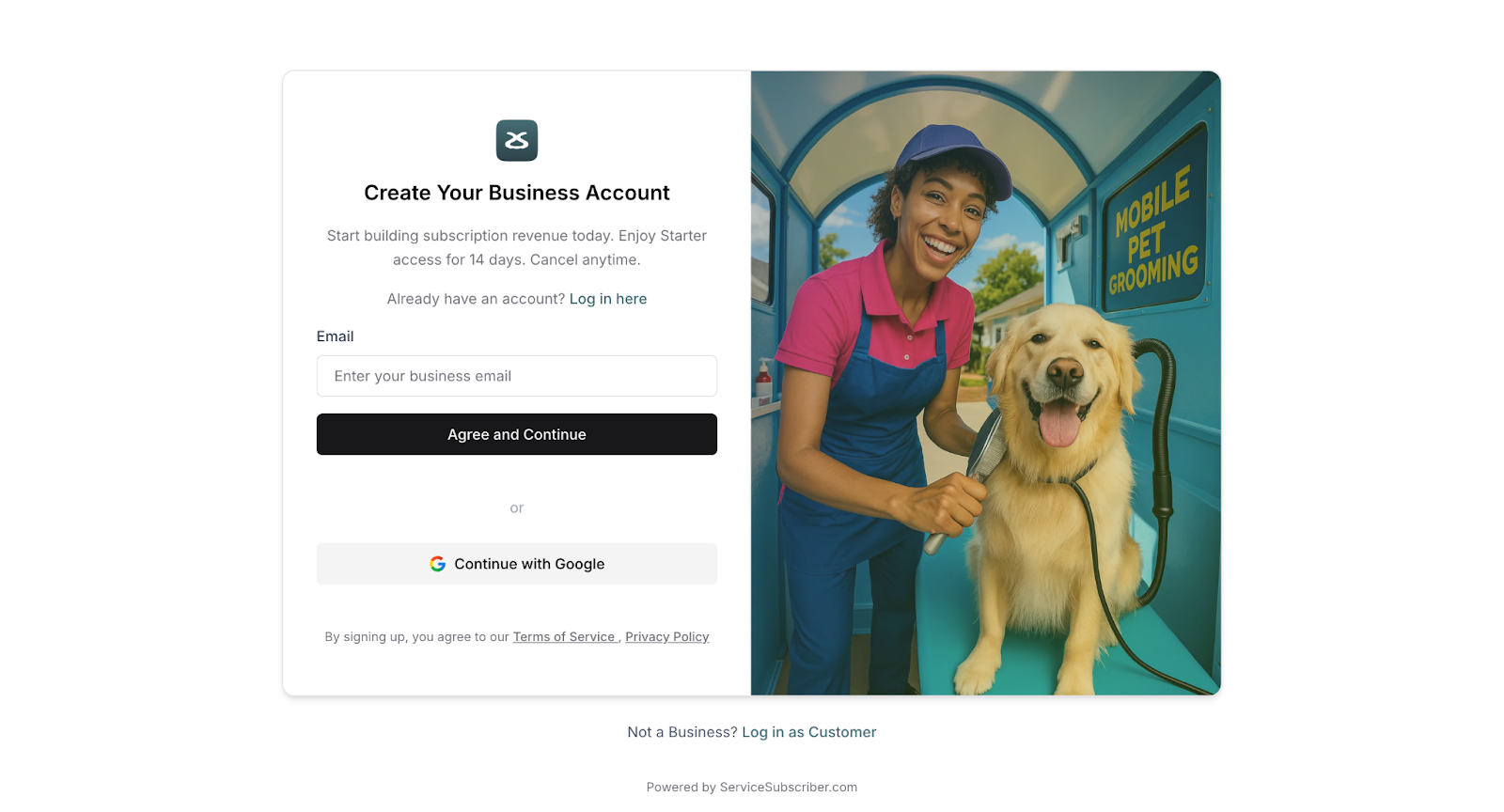
Step 2: Enter Your Email Address
In the Email field, enter your email address
Double-check that your email is spelled correctly
Click the Continue button
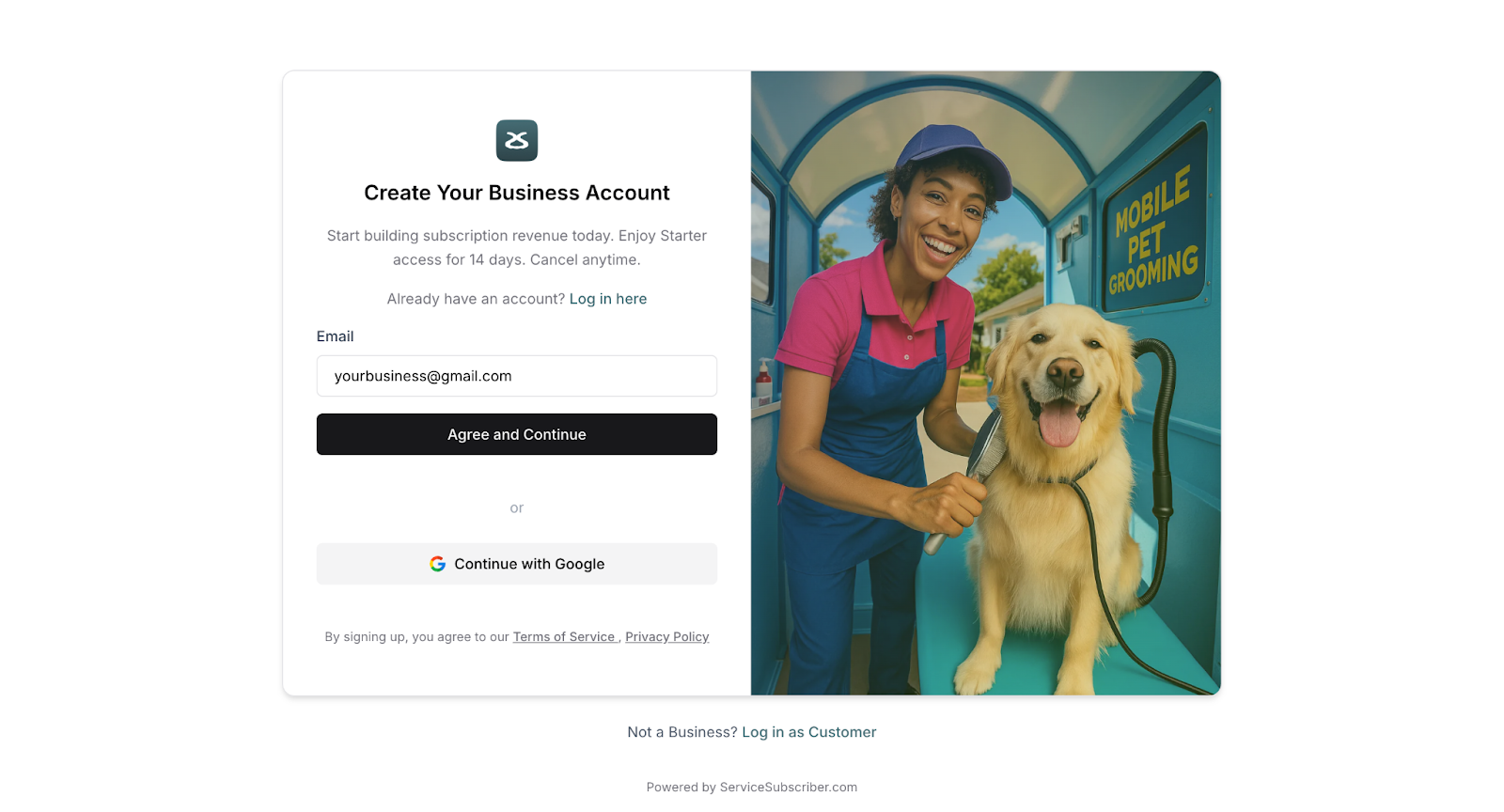
⚠️ IMPORTANT: Make sure you have access to this email address. You'll need it to verify your account and receive your one-time password.
Step 3: Check Your Email for the OTP Code
Within a minute or two, you'll receive an email with your One-Time Password (OTP).
Open your email inbox
Look for an email from noreply@servicesubscriber.com
The subject line will say something like "Your Service Subscriber Verification Code"
Open the email and find your 6-digit code
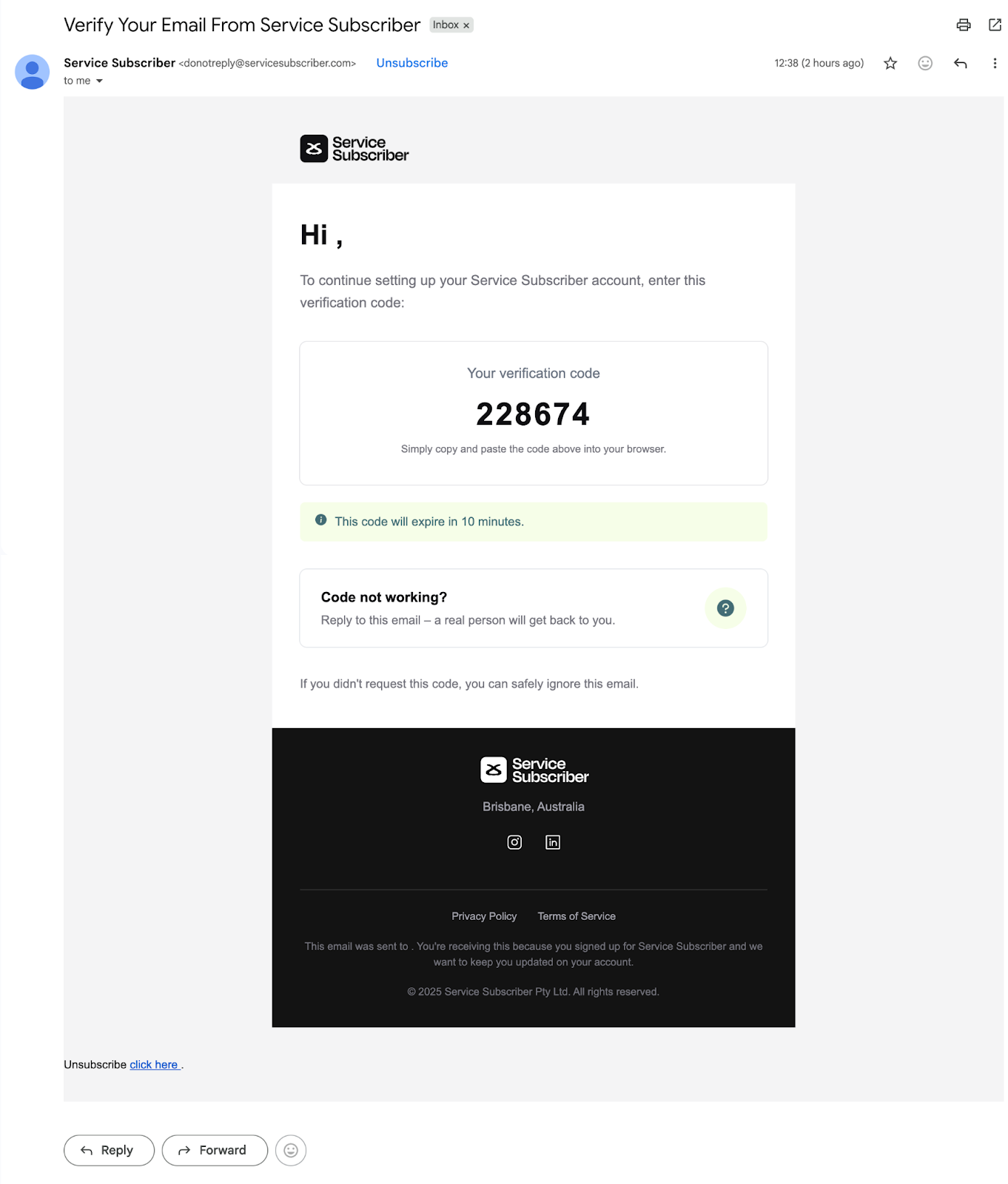
✍️ TIP: The OTP code is time-sensitive and will expire after a few minutes. If it expires, you can request a new one.
Step 4: Enter Your OTP Code
Return to the ServiceSubscriber tab in your browser
Enter the 6-digit code from your email
Click Verify or Continue
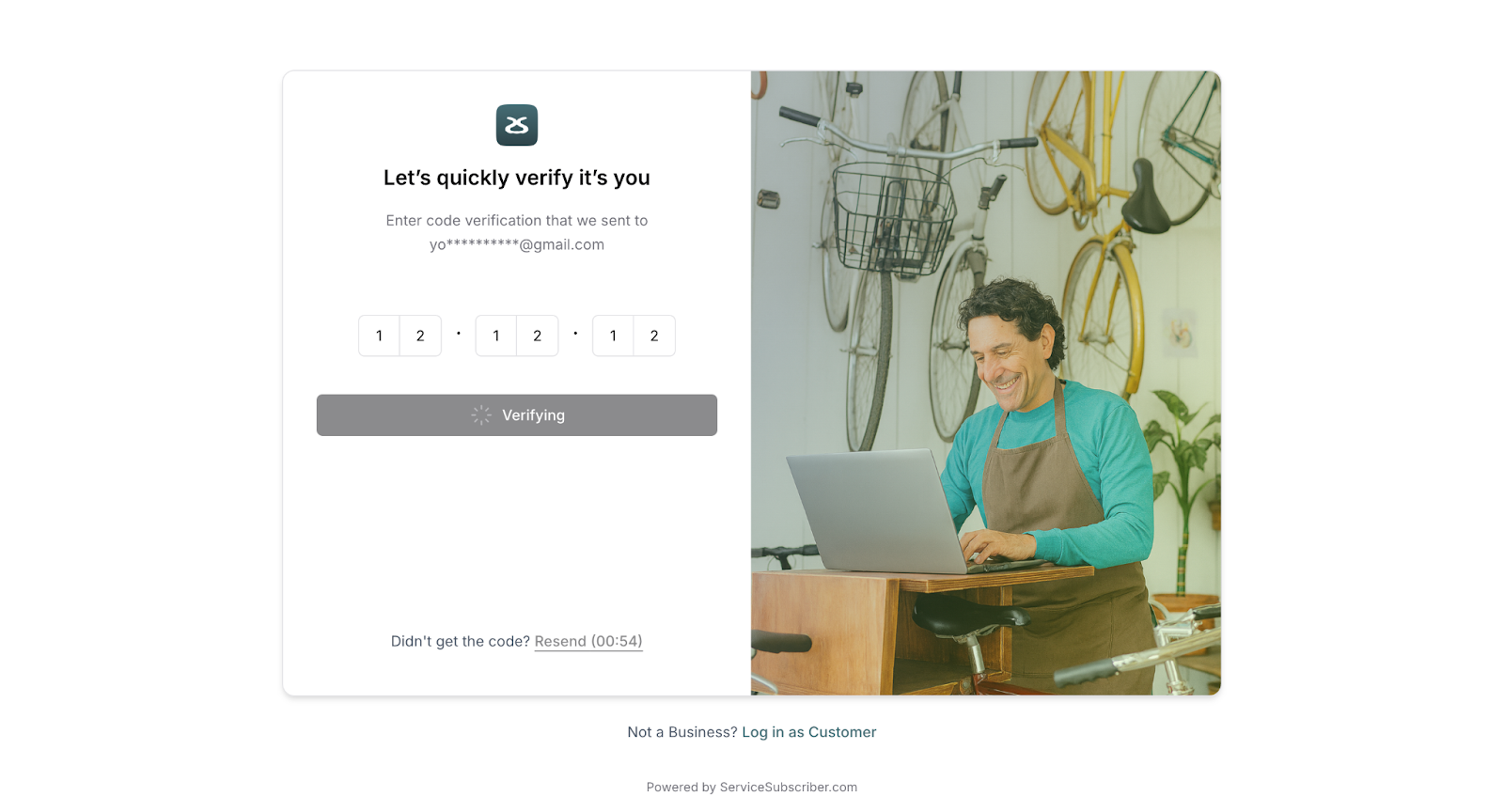
✅ Success! Once verified, you'll be taken to the next step of setting up your account.
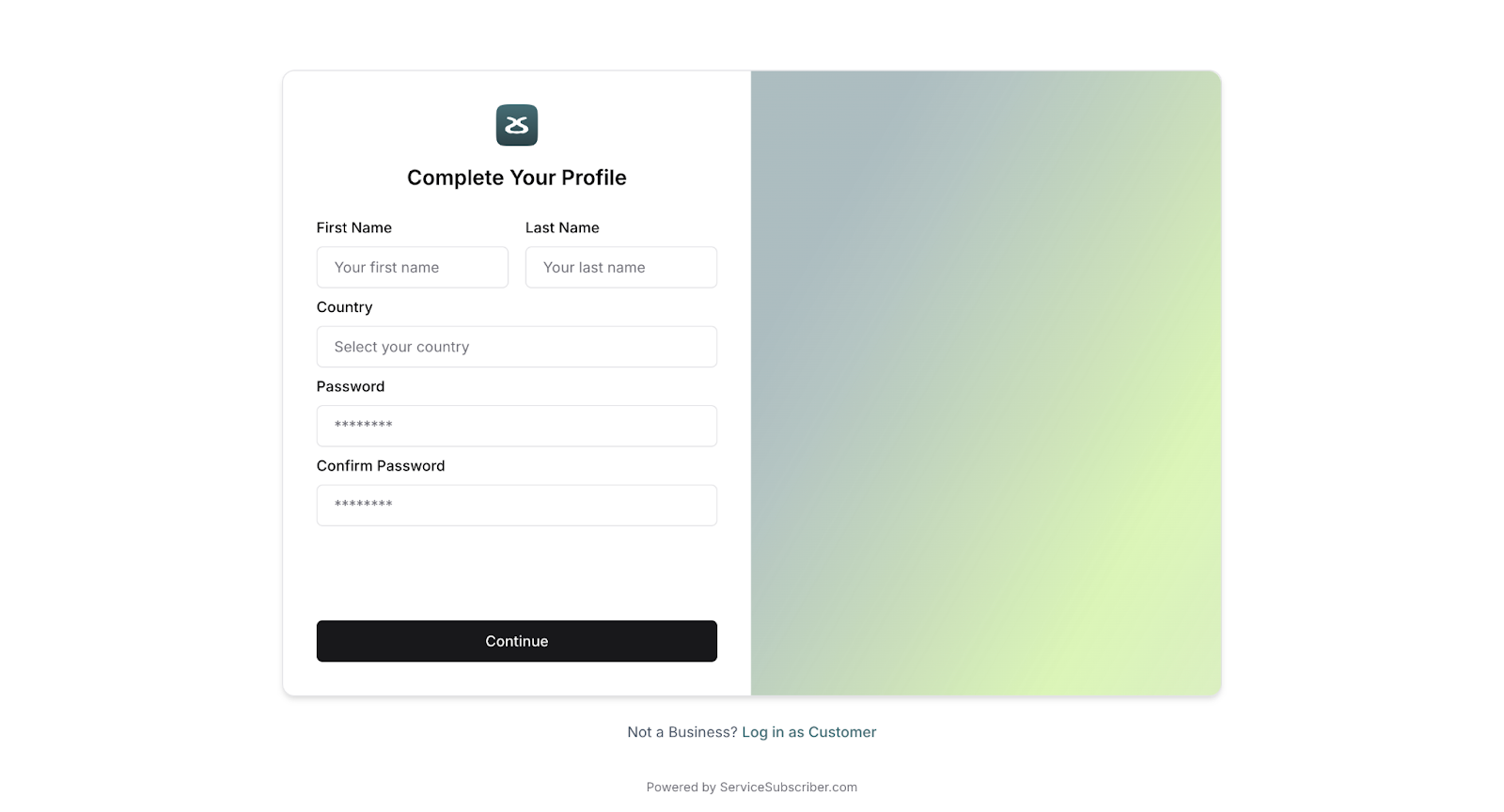
Step 5: Add Your Personal Details
Now you'll complete your profile with some basic information.
Enter your First Name and Last Name
Set and confirm your password
Click Continue
What Happens Next
Next, you'll move on to setting up your business details—including your business name, location, and operational hours. This is where your subscription business really starts to take shape!
Was this article helpful?
That’s Great!
Thank you for your feedback
Sorry! We couldn't be helpful
Thank you for your feedback
Feedback sent
We appreciate your effort and will try to fix the article